
AI Icon Generator from Photo: One Image In, One Icon Out
Most icons start as something you can already see: a logo photographed at an event, a sketch on paper, a mark drawn on a whiteboard, a screenshot of an icon you like. An AI icon generator from photo takes that image as the reference, reads the subject and the palette, and redraws it as a clean 1024 px icon with the background gone and the style you asked for. Upload the photo, write one sentence about what to keep and what to change, and generate.
Icons Generated from Photos and Sketches
Every icon in this gallery began as a reference image: a photographed logo, a paper sketch, a screenshot. The generator redrew each one as a clean vector-style icon its creator could export at full size.


What Does an AI Icon Generator from a Photo Do with Your Picture?
It redraws, it does not crop. When you upload a photo as the reference image, the model reads the subject, its silhouette and its colors, then paints a new 1024 px icon that keeps what matters and drops what does not: the messy background, the shadows, the camera angle, the noise. A background remover makes a PNG with holes; a vectorizer traces the outlines it finds. An icon generator based on an image works one level up: it understands the picture well enough to simplify it, which is the actual job, because an icon is a drawing of a subject, not a photo of one.
Reads the subject, not the pixels
The generator identifies the mark in your photo, so a hand-drawn line that wobbles or a shadow across the logo does not survive into the icon. What survives is the shape you meant to draw.
Style follows your instruction or your reference
Ask for flat, 3D, glass or pixel in the prompt, or attach a second reference and ask for its style. The subject comes from your photo; the look comes from your direction.
Icon output, not photo output
Results arrive at 1024x1024 with centered composition and clean edges, ready for the small-size checks and format exports an icon needs, not a cropped camera frame.
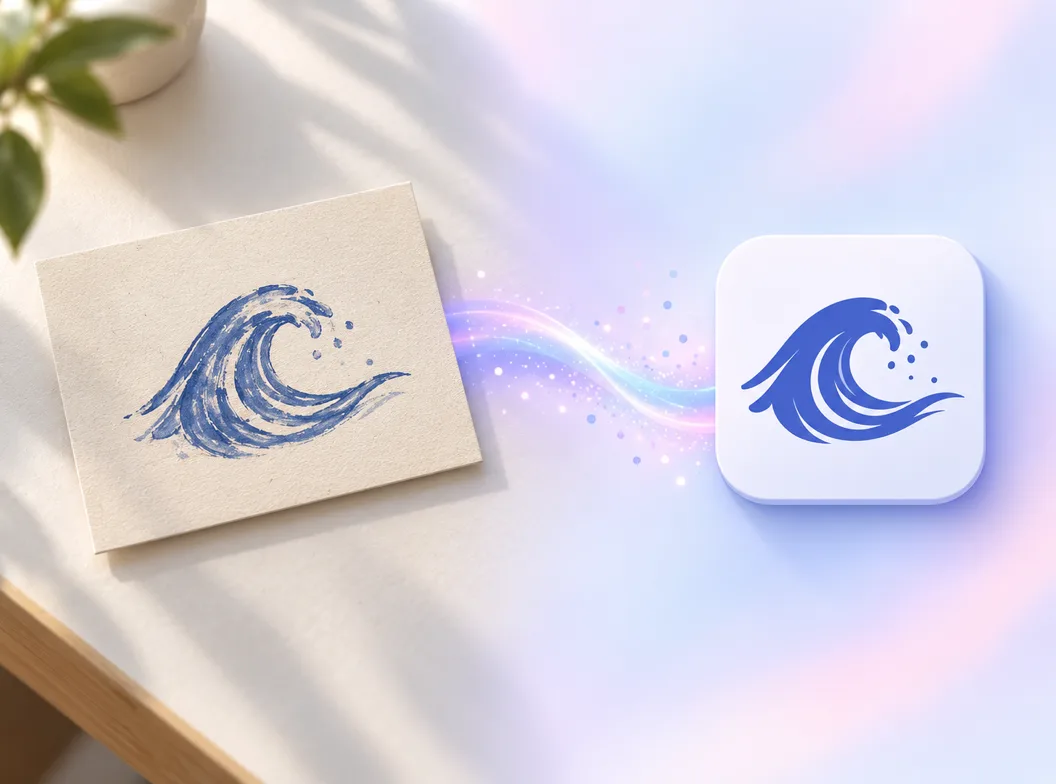
How to Generate an Icon from a Photo in 3 Steps
From a photo on your phone to a finished icon file, with the reference image doing the heavy lifting.
- 1
Upload the photo as your reference
JPG, PNG or WEBP, straight from the camera roll or a screenshot. One clear subject per frame redraws cleanly; the guide below covers which images turn into icons without a fight.
- 2
Write one sentence about what to keep and change
Like "redraw this logo photo as a flat icon, keep the wave, single indigo, remove the background". Keep the subject, name the style, say what should disappear. The photo carries the concept; the sentence steers the rework.
- 3
Generate, check at 16 px, export
Candidates arrive at 1024x1024. Preview the strong ones at 48, 32 and 16 px, branch the winners into variants, then export PNG, ICO or WEBP with a transparent or solid background.
Three Ways to Turn a Photo into an Icon
Search results for turning pictures into icons mix three kinds of tools. They answer different questions, and picking the wrong one is where most of the wasted afternoons come from.
| Vectorizers and auto-trace | Photo editors | AI icon generator from photo | |
|---|---|---|---|
| What it does with your picture | Traces the outlines it finds into SVG paths | Crops, erases and recolors under your hand | Redraws the subject as a clean icon in your chosen style |
| Handles a messy original | Poorly: every shadow and stain becomes a path | Yes, with hours of manual masking and cleanup | Yes: noise, background and angle are dropped in the redraw |
| Can restyle the mark | No: it copies the shapes as they are | Only what you redraw yourself | Yes: flat, 3D, glass, pixel or the style of a second reference |
| Icon-sized output | SVG at whatever scale you trace | Whatever you export | 1024 px square masters with 48, 32 and 16 px previews |
| Time from photo to usable icon | Minutes, then hours fixing traced noise | Hours per icon | Minutes per round of candidates |
| Cost profile | Free to cheap | Subscription for the editor | Credits per generation, with free credits to start |
Comparison of typical photo-to-icon routes, based on the tool categories ranking for the query as of 2026.
Which Photos Redraw into Icons Cleanly
Whether you feed an icon generator from a photo or an icon maker from an image, the reference decides most of the outcome before the prompt is read. These are the picture types that turn into icons cleanly, and the ones that fight the generator at every step.
Photos of an existing logo or mark
A sign, a package, a T-shirt, a business card. As long as one mark fills most of the frame, the generator can lift it and clean it.
Hand-drawn sketches and doodles
Pen on paper, whiteboard markers, napkin drawings. Wobbly lines are fine; the model reads the intent and draws the steady version.
Screenshots of icons you like
A style reference from another product or an old icon set. Ask the generator to draw your subject in the reference's style for a matched family.
Single-object product photos
One mug, one plant, one sneaker, centered, on any background. The object becomes the subject; the background disappears.
Crowded scenes and group photos
Multiple subjects compete for attention and the redraw picks its own favorite. Crop down to the one subject you want first.
Dark, blurry or tiny pictures
Under 256 px or heavy noise, the model guesses more than it reads. A screenshot of a thumbnail will not outperform the original file.
Photo-to-Icon Prompts That Work
Copy one and swap the subject for your own photo. A prompt that lands icons from pictures names three things: what to keep from the reference, the target style with its palette, and what should disappear.
Clean up a photographed logo
redraw this logo photo as a flat icon, keep the wave silhouette, single indigo on a solid field, remove the background and shadows, no text
Finish a sketch
turn this pencil sketch into a glossy 3D app icon, keep the pose and proportions, sky blue palette, centered composition, no text
Match an existing family
use the reference icon's style and palette, draw a camera icon in the same family for our product suite, readable at 16 px, no text
From One Photo to a Matched Icon Family
The photo gets you the first icon; the reference chain gets you the rest. Keep the winner attached as the style reference, branch it into the neighboring subjects your product needs, and check every branch at the sizes it will render at.
Photo in, first icon out
The uploaded reference drives the first generation, so the mark starts from your real-world image instead of guesswork.
Winner becomes the reference
Pin the approved icon and the next generations follow its style, which is how one photo grows into a consistent family.
Judged where it ships
Every candidate gets its 48, 32 and 16 px previews, because a redraw that only works at 1024 px is not an icon yet.
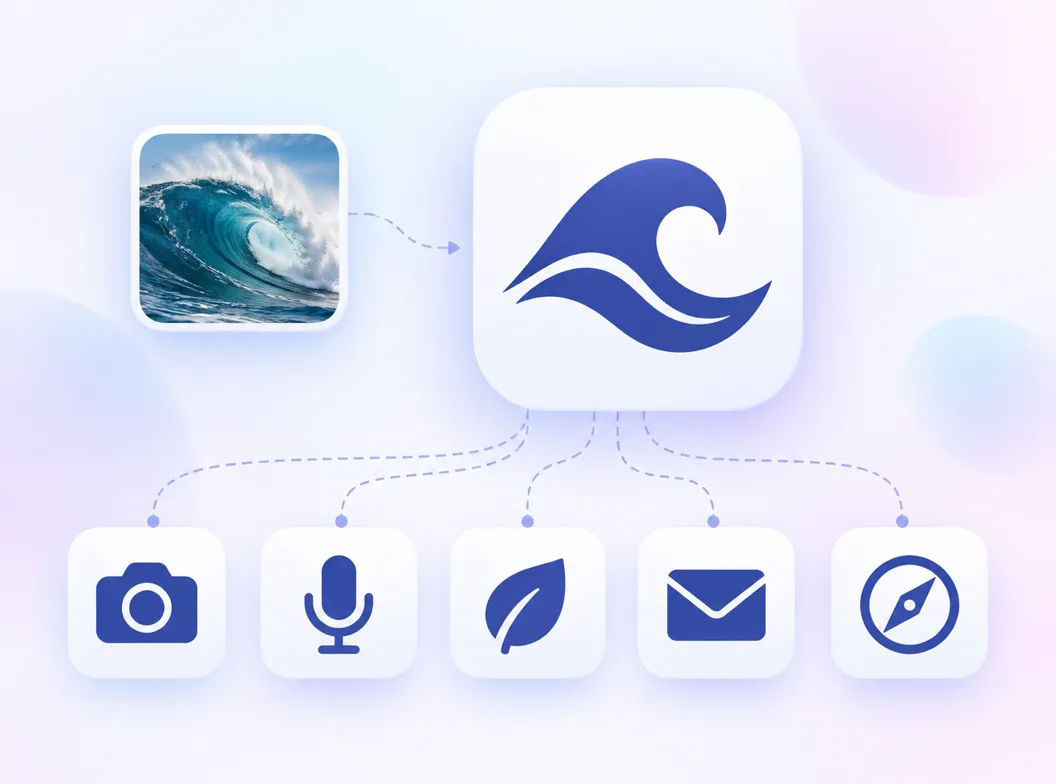
What the Generator Handles for You
Everything between the photo you have and the icon files your product needs.
Reference-image style matching
Attach your photo, another icon, or both. The subject follows one reference, the style follows the other, and every generation stays on brief.
Backgrounds, gone on request
Transparent exports for interface use, solid fields for store listings. The redraw drops the original background either way.
Small-size previews
Check every redraw at 48, 32 and 16 px before committing, the sizes where tabs, menus and home screens render icons.
Branches on one photo
Take the same reference through style, palette and weight variants and compare them side by side instead of re-photographing anything.
Every format you ship
PNG, ICO and WEBP from one 1024 px master, with the size cuts an app, a site or a browser tab needs.
A canvas that remembers
The photo, the prompt and every variant stay on the canvas, so the next revision starts from the last approved icon, not from the camera roll again.
Related Workflows
Neighboring generators for the jobs around a photo redraw.
3D icons from the same subject
Clay, glass and metallic takes once the flat mark exists.
Letter marks and monograms
A single letter built into an icon, favicon-ready.
Graphic icon design
Design the mark itself, palette and format included.
Site and favicon icons
Browser-tab sizes and favicon sets from one mark.
Related Tools
Blog
Further Reading
Longer reads on icons, styles and export workflows.
AI Icon Generator from Photo FAQ
How the photo-to-icon redraw works, what to upload, and what you get to keep.
How do I turn a photo into an icon?
Upload the photo as the reference image in the generator above, then write one sentence that names what to keep, the target style and what should disappear, like "redraw this logo photo as a flat icon, keep the wave, remove the background". Generate candidates at 1024 px, check the strong ones at 16 px, and export the winner in PNG, ICO or WEBP. It is a redraw, not a crop: the output is a new icon drawn from your image, not a cropped photo.
What kind of photo should I upload as a reference?
One clear subject per frame: a photographed logo, a hand-drawn sketch, a screenshot of a style you like, or a single centered object. Whether you call the tool an icon generator from a photo or an icon maker from an image, the same input rules apply. Crowded scenes, group shots and pictures under 256 px redraw poorly, because the model has to guess at a subject instead of reading one. The reference guide above walks through each type.
Do I need a text prompt if I have a photo?
Yes, a short one. The photo supplies the subject; the prompt steers the rework. Without it the generator makes its own calls about style and background, and those calls are usually not the ones you would make. One sentence naming what to keep, the style and what to drop is enough.
Will the icon look exactly like my photo?
No, and that is the point. The generator reads the subject, silhouette and palette, then draws the clean icon version: background gone, angles straightened, lines steadied, composition centered. If you need a pixel-exact copy of an existing image, a vectorizer or the free icon resizer is the right tool; if you need the mark in that image as a usable icon, this is.
Can I use a hand-drawn sketch as the reference?
Sketches redraw especially well. Pencil on paper, whiteboard markers, napkin doodles all work: the model reads the intent behind the wobble and draws the steady, centered icon version. Photograph the sketch evenly lit, fill the frame with the drawing, and say in the prompt what style the finished icon should carry.
Can I generate an icon from a photo for free?
The generator above starts with free credits: upload the photo, write the sentence, and run the first round of candidates before paying anything. Further generations use credits, and every plan includes all styles and all export formats.
Can the icon have a transparent background?
Yes. Choose the transparent background option and export PNG or WEBP with a live alpha channel for interface use, or a solid field when a store listing requires one. The original photo's background is dropped in the redraw either way.
What file formats can I export the icon in?
PNG, ICO and WEBP from one 1024 px master, including the multi-size ICO files Windows and browsers expect, plus size cuts for app stores, sites and extensions. Every format ships from the same redraw, so the mark matches across surfaces.
Do I own the icons generated from my photos?
Yes. You keep full commercial rights to every icon you generate from your reference images, subject to the terms of service, including icons shipped in products, stores and paid campaigns. Use photos you have the rights to as references.
Photo or text prompt: which is better for icons?
Use a photo when the concept already exists somewhere you can see it: an old logo, a sketch, a competitor's style you are answering. Use a text prompt when the idea only exists in words. The two also chain: generate from text, pin the winner, and treat it as the reference for the rest of a family. The text-to-icon generator covers the pure prompt route.
Turn Your Photo into an Icon
Upload the reference, write one sentence, and get the 1024 px icon your photo has been trying to be.