
Game App Icon Generator: Store-Ready Game Icons from One Prompt
Players judge a game by its icon before they read a single word: in a store row full of competitor marks, the icon decides the tap. Describe your game once, generate polished store icons in cartoon, 3D, pixel and neon styles, and export the 1024px App Store master and the 512px Google Play asset from the same file.
Game App Icon Examples
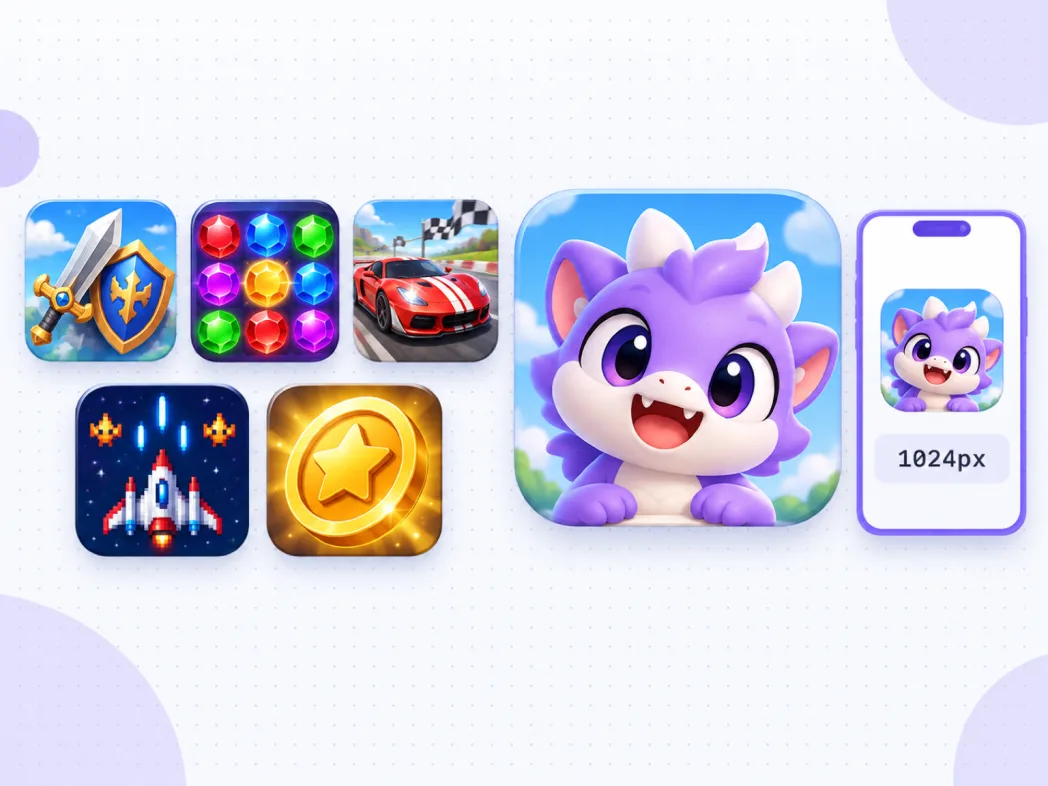
Icons generated for game launches: one bold genre signal per mark, from crossed swords and candy gems to mascots and starships, built to stay readable at the 47 px store-row size.


What Is a Game App Icon Generator?
Two different jobs hide inside the search term game icon. In-game asset generators draw potions, weapons and loot for your inventory screens, and libraries like game-icons.net hand you static sets. A game app icon generator handles the other job: the store icon, the mark that sits beside your game's name in App Store search rows, Play shelves and on the home screen. You describe the game in one sentence, the generator draws the 1024px master in the style your genre reads best in, and the export cuts both store assets from it. Each icon lives on the infinite canvas as a node you can branch from, so a genre test or a seasonal refresh never starts from zero.
Visual Lineage Tree
Branch one mark into genre, color and lighting variants, then trace every game icon iteration back to the prompt that produced it.
Reference Your Game Art
Attach a screenshot or key art and the generator matches the icon to your game's existing style instead of guessing it.
Both Stores, One Master
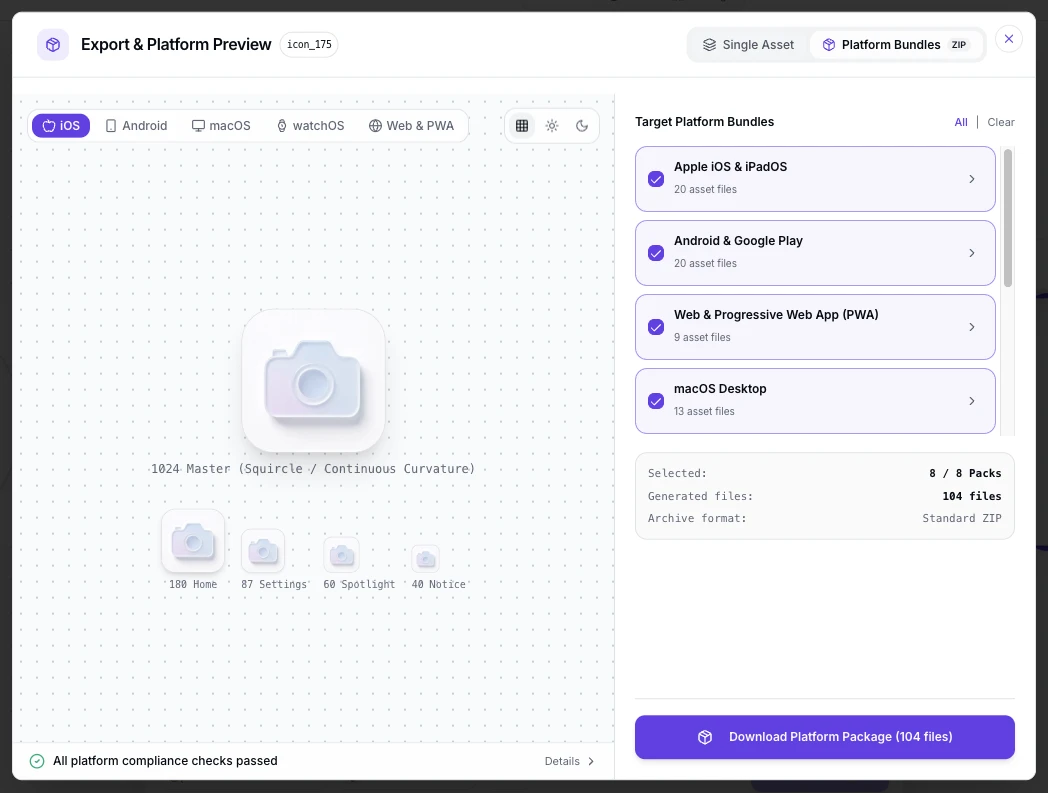
The 1024px no-alpha App Store upload and the 512px Play asset export from the same file, so the mark stays consistent across stores.
Game App Icon Prompt Examples
Copy any of these into the generator, then edit the subject and genre words to fit your game. A strong game icon prompt states three things: the one object or character that signals the genre, the style and palette, and that the mark must stay readable at small store-row sizes.
RPG flagship mark
game app icon, crossed sword and shield with glowing runes, dramatic rim light, single bold subject centered in the square, reads at 48 px in store rows, 3D game art style, no text
Casual puzzle mark
game app icon, three glossy candy gems stacked with a soft drop, saturated candy palette, cartoon 3D style, one clear silhouette, bright studio light
Retro pixel mark
game app icon, pixel art starship on a deep space gradient, crisp chunky pixels with a bold silhouette that still reads small, no thin details, no text
How to Make a Game App Icon in 3 Steps
From one sentence to both store uploads, with no art software open.
- 1
Describe the game
Write one sentence naming the genre signal, style and mood, like "a cartoon mascot creature for a casual merge game, warm colors, game app icon". One recognizable object or character beats a busy scene every time.
- 2
Generate the 1024 master, then check it in a store row
Generate at 1024x1024, then preview the mark at 64 px and 47 px beside other icons. Stores render icons in crowded rows and shelves, never full screen, so the small preview is the honest one.
- 3
Export both store sets
Export the 1024px no-alpha PNG for App Store Connect and the 512x512 Play asset with the Android launcher set from the same master. The table below lists what each store checks.
Game App Icon Sizes for Both Stores
Both stores validate the icon before your listing goes live, so the hard numbers come first. These are the current requirements.
| Surface | What you submit | Format rules | What happens next |
|---|---|---|---|
| App Store, iOS | One 1024x1024 px PNG | sRGB or Display P3, no alpha channel, square corners with nothing baked in; iOS applies its own mask on device | App Store Connect checks the file at upload and derives every listing and home screen size from it |
| Google Play listing | One 512x512 px PNG | 32-bit PNG in sRGB, at most 1024 KB, full square artwork with no baked rounded corners | Play Console validates the numbers, then the store serves it masked to its own rounded square |
| Store rows and shelves | Reuses the two listing assets | Served at roughly 47 to 64 px in search results, category charts and similar-game shelves on both stores | Small render sizes make one bold genre signal the deciding factor |
| Home screen launchers | iOS shows the masked icon at 180 px; Android builds adaptive layers at 108x108 dp with a 66 dp safe zone | Both cut from the store master, so the mark must survive the shrink | The mipmap density set (48 to 192 px) covers Android launchers |
Specs follow Apple App Store Connect and Google Play Console icon requirements, checked September 2026.
Describe the mark, check it at store-row size, then ship the 1024px App Store upload and the 512px Play asset from the table above in one pass.
Open the Game App Icon GeneratorOne master, every store surface
Every surface below reads a file cut from the same 1024px master. Building in-game item icons too? Generate them here with a transparent background and take the transparent PNGs straight into your engine.
The store row, where the tap is decided
Search results and similar-game shelves line your icon up against every competitor at around 47 px. Genre reads instantly there: swords for RPG, gems for puzzle, a mascot for casual. That tiny row, not the product page, is where the icon does its job.
Category charts and featuring
Top charts, new releases and editorial shelves repeat the same asset at medium sizes. Featuring art crops the icon into promotional layouts, so keep the subject centered with breathing room on every side.
Home screens and launchers
After install, the icon lives beside messaging and banking apps at 180 px on iOS and adaptive sizes on Android. A mark tuned only for store pages often looks noisy at this scale.
In-game item icons are a different job
Potions, weapons, currency and HUD icons need transparent backgrounds and consistent sets rather than one store mark. Generate them as standalone icons with transparent export, or browse the icon gallery for ready sets.
Where the game icon appears in the wild
The store page is only one stop. The same mark competes in search rows, category charts and similar-game shelves, rides the home screen after install, crops into featuring banners and ad creatives, and shrinks into notification badges and settings lists. Design for the smallest and most crowded of these first: an icon that wins the 47 px row holds up everywhere else.
Three Ways to Get a Game App Icon
An AI icon generator, an in-game asset generator and a freelance game artist all produce icons. They differ in which icon they are built to make and how much of the store work they cover.
| AI game icon generator | In-game asset generators | Hiring a game artist | |
|---|---|---|---|
| Built for | Store icons: the App Store and Play listing mark | Inventory items: potions, weapons, loot sheets | Key art and icons, within the brief |
| Starting point | A sentence describing the game | A prompt or a sprite sheet request | A brief, references and a call |
| Time to a finished icon | Under a minute per concept | Minutes per item set | Days per round |
| Cost | Credits or subscription, free to start | Free tiers with watermarks or limits | Hundreds per project |
| Store spec exports | 1024px no-alpha and 512px Play assets exported to spec | Not their focus; you handle store sizes yourself | Handled if the brief includes exports |
| Icon A/B iteration | Branch variants per concept and compare at store sizes | Possible but item-oriented | Possible, priced per round |
Comparison of typical workflows, verified as of 2026.
What the Generator Handles for You
Everything between the first prompt and files both stores accept.
One master, both stores
Generate once at 1024px; the App Store upload and the Play 512 asset cut from the same file.
Genre-ready styles
Cartoon, 3D, pixel and neon presets tuned for game marks, with the style preset already selected on this page.
Store-row previews
Check the mark at 64 px and 47 px while you iterate, the sizes that decide the tap.
Transparent item icons
Generate potions, weapons and HUD marks with transparent backgrounds for your engine.
Reference your key art
Attach a screenshot and the icon matches your game's established style.
Variants for A/B tests
Branch the same concept into color and subject variants and compare them side by side before the launch.
Game Icon Styles, from Cartoon to Pixel
Genre reads through style before the player reads anything else. Cartoon and casual marks carry bright, toy-like energy, pixel presets signal retro and roguelike instantly, and 3D renders fit RPG and strategy launches. Compare directions at icon scale in the icon style gallery: the cartoon, pixel and 3D pages show each style on real marks.
Design a Game Icon That Earns the Tap
Most game icon rework traces back to four habits. Lead with one genre signal, a sword, a gem, a mascot, because a crowded store row has room for exactly one idea. Skip the game title text, since stores print the name beside the icon anyway and shrink text into noise. Test against the shelf, not the canvas: preview at 47 px beside competitor marks before falling in love with the full-size render. And keep a consistent silhouette across seasonal variants, so updates feel fresh without breaking recognition.
Where the Workflow Fits
One master from the generator, exported for every surface that sells or launches your game.
First launch on both stores
Ship the 1024px App Store upload and the 512px Play asset from one master on day one.
Live-game icon refresh
Test a new mark against the old one at store sizes, then swap the listing asset in an afternoon.
Seasonal and event variants
Holidays, anniversaries and crossovers, branched from the original icon so recognition survives the change.
Publisher icon families
Keep a portfolio of games visually related while each mark keeps its own genre signal.
In-game item sets
Potions, weapons and currency with transparent backgrounds, generated as standalone icons.
Web and itch.io pages
Favicons and page marks for the game's site and press kit, cut from the same master.
Related Tools
Blog
Further Reading
Longer reads on icon design, store specs and workflows.


Game App Icon FAQ
Sizes for both stores, item icons, free generation and the questions game makers ask before launch.
What size should a game app icon be?
One 1024x1024 PNG covers the App Store, and one 512x512 PNG covers the Google Play listing. Generate at 1024 and export both from the same master, together with the Android launcher set.
How do I generate a game app icon for free?
The generator above starts with free credits: describe the game, generate the 1024 master, and export a store asset before paying anything. Further generations use credits, and every plan includes all export formats.
What is the difference between a game app icon and in-game icons?
The game app icon is the store-facing mark beside your game's name, built to win the tap in search rows. In-game icons are the item, skill and HUD marks inside the game, usually on transparent backgrounds and in consistent sets. This page generates both, but they follow different design rules.
Can my game icon have a transparent background?
Not the store uploads. The App Store master rejects transparency outright, and Play renders opaque fills most predictably. Use transparent backgrounds for in-game item icons, which engines composite over your own UI.
Should I put my game's title in the icon?
Generally no. Both stores print the name beside or below the icon, so baked text duplicates it and collapses into noise at 47 px. Spend the pixels on one bold genre signal instead.
Which style works best for my genre?
Casual and puzzle games read best with bright cartoon 3D marks, RPGs with dramatic hero-object renders, retro titles with pixel silhouettes, and action or esports-adjacent titles with neon accents. The style presets on this page start at cartoon, and every style stays one click away.
Can I test two icons against each other?
Yes. Generate variants of the same concept on the canvas, compare them at 47 px and 64 px, and export the winner. Many teams swap listing icons between seasons; a recognizable silhouette keeps the change safe.
Do I need separate icons for iOS and Google Play?
The master is the same, the uploads differ: 1024px with no alpha for App Store Connect, 512px for Play Console. Export both from one file and the mark stays consistent across stores.
Can I use the generated icon in a shipped game?
Yes. You keep full commercial rights to every icon you generate, subject to the terms of service, including store listings and ad creatives.
What about pixel art icons, do they stay sharp?
Generate at 1024px so every store size downscales from a large master. Chunky silhouettes survive the shrink better than fine pixel detail, so keep the shapes bold and preview at 47 px before shipping.
Generate Your Game App Icon
Describe the game once, export the 1024px App Store master and the 512px Play asset from one file, and list on both stores the same day.